 20% OFF
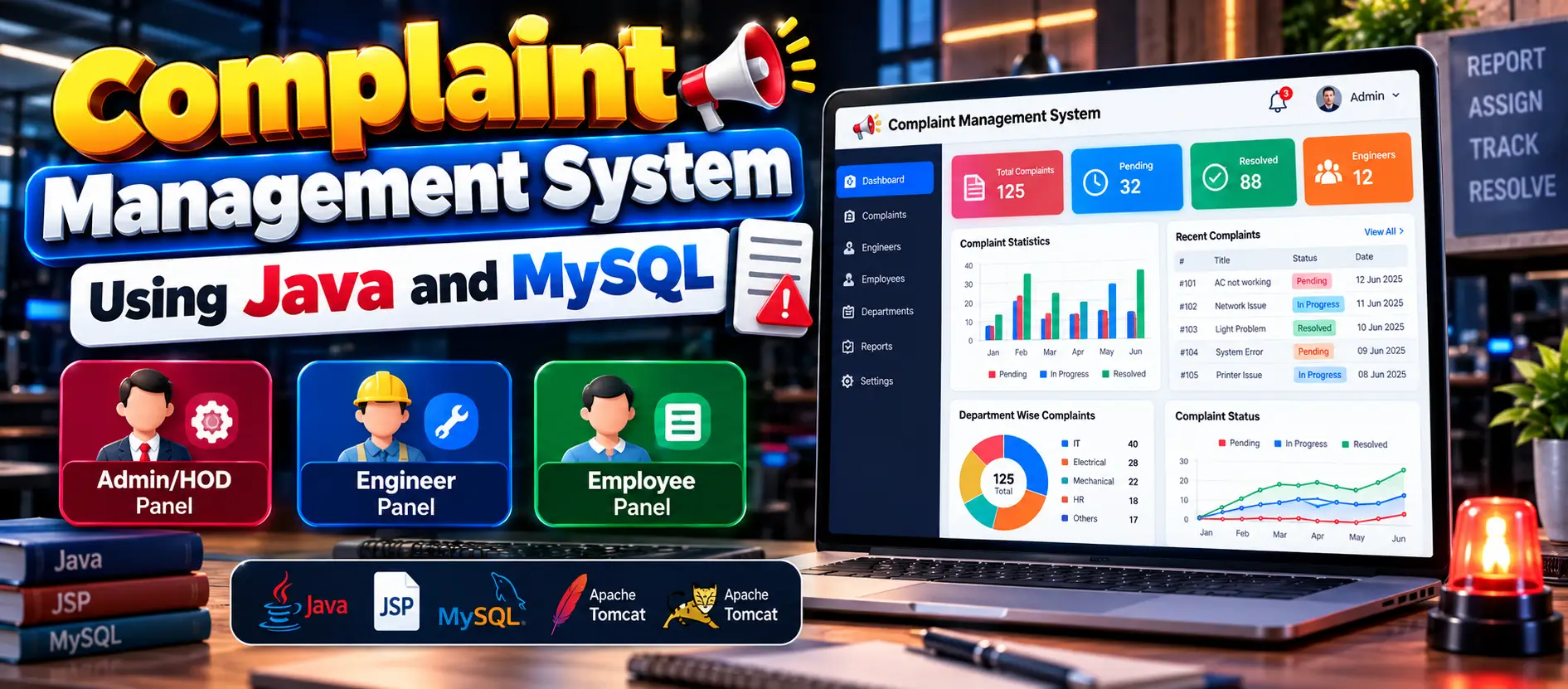
 Complaint Management System Using Java and MySQL
The Complaint Management System Using Java and MySQL is a web-based application for managing employee complaints through three user roles: Admin/HOD, Engineer, and Employee. Employees can submit and track complaints, administrators can assign engineers and manage engineer records, and engineers can update complaint statuses and review resolved complaints. The project uses Java, JSP, Servlets, JDBC, MySQL, HTML, CSS, and Apache Tomcat 9.0.
Read more- Built with
- JavaMySQLBootstrapHTML/CSSJavaScript
- You get
- Source codeDatabaseProject reportPPTSetup guide
- Delivery
- Instant download after payment
Project Overview
The Complaint Management System Using Java and MySQL is a web-based application designed to help organizations manage employee complaints systematically. It provides separate panels for Admin/HOD, Engineer, and Employee users to support complaint submission, assignment, tracking, and resolution.
Employees can register, log in, file complaints, and track their status. Admin/HOD users can monitor complaints, assign engineers, and manage engineer and department records. Engineers can view assigned complaints, update their status, and review resolved complaints.
Available Features
- Admin/HOD Login: Access the administrative panel using login credentials.
- Complaint Management: View and monitor employee complaints.
- Engineer Assignment: Assign engineers to specific complaints.
- Engineer Management: Add, update, and remove engineer information.
- Department Management: Categorize engineers by department.
- Employee Registration and Login: Allow employees to register and access their accounts.
- Complaint Filing: Submit complaints with relevant issue details.
- Complaint Tracking: Allow employees to check complaint status.
- Assigned Complaint Management: Allow engineers to view complaints assigned to them.
- Status Updates: Let engineers mark complaints as in progress or resolved.
- Resolved Complaint Records: Review previously resolved complaints.
- Password Management: Allow employees and engineers to change their passwords.
Which Technologies Are Used in This Project?
- Programming Language: Java
- Frontend: JSP, HTML, CSS
- Backend: Java Servlets
- Database Connectivity: JDBC
- Database: MySQL
- Web Server: Apache Tomcat 9.0
More Details and Full Documentation
Visit the official UPDATEGADH project page for project details, features, screenshots, installation instructions, and source package information.
More Details and Full Documentation
Watch Project Demo
- Admin/HOD Authentication
- Employee Registration and Login
- Employee Complaint Management
- Complaint Status Tracking
- Engineer Assignment Management
- Engineer Information Management
- Department Management
- Engineer Login and Authentication
- Assigned Complaint Management
- Complaint Status Updates
- Resolved Complaint Records
- Employee Password Management
- Engineer Password Management
Step 1: Install a compatible Java Development Kit, MySQL Server, and Apache Tomcat 9.0.
Step 2: Extract the project package and open the source code in Eclipse or Visual Studio Code.
Step 3: Configure Apache Tomcat 9.0 for the Java web application.
Step 4: Create the required MySQL database using the SQL file supplied with the project, if included.
Step 5: Configure the JDBC connection with the correct database name, username, password, and connection details.
Step 6: Ensure the MySQL JDBC driver is available to the application.
Step 7: Configure the project for Apache Tomcat and deploy the application.
Step 8: Start MySQL and Tomcat.
Step 9: Open the application using the localhost URL and context path assigned by Tomcat.
Step 10: Log in through the appropriate Admin/HOD, Employee, or Engineer panel using the credentials provided with the project.
Stuck while running it? Chat with us on WhatsApp for free installation help.
No reviews yet. Be the first to review this project.
Related projects

 25% OFF
 28% OFF