Online Book Shop System Using JSP and MySQL
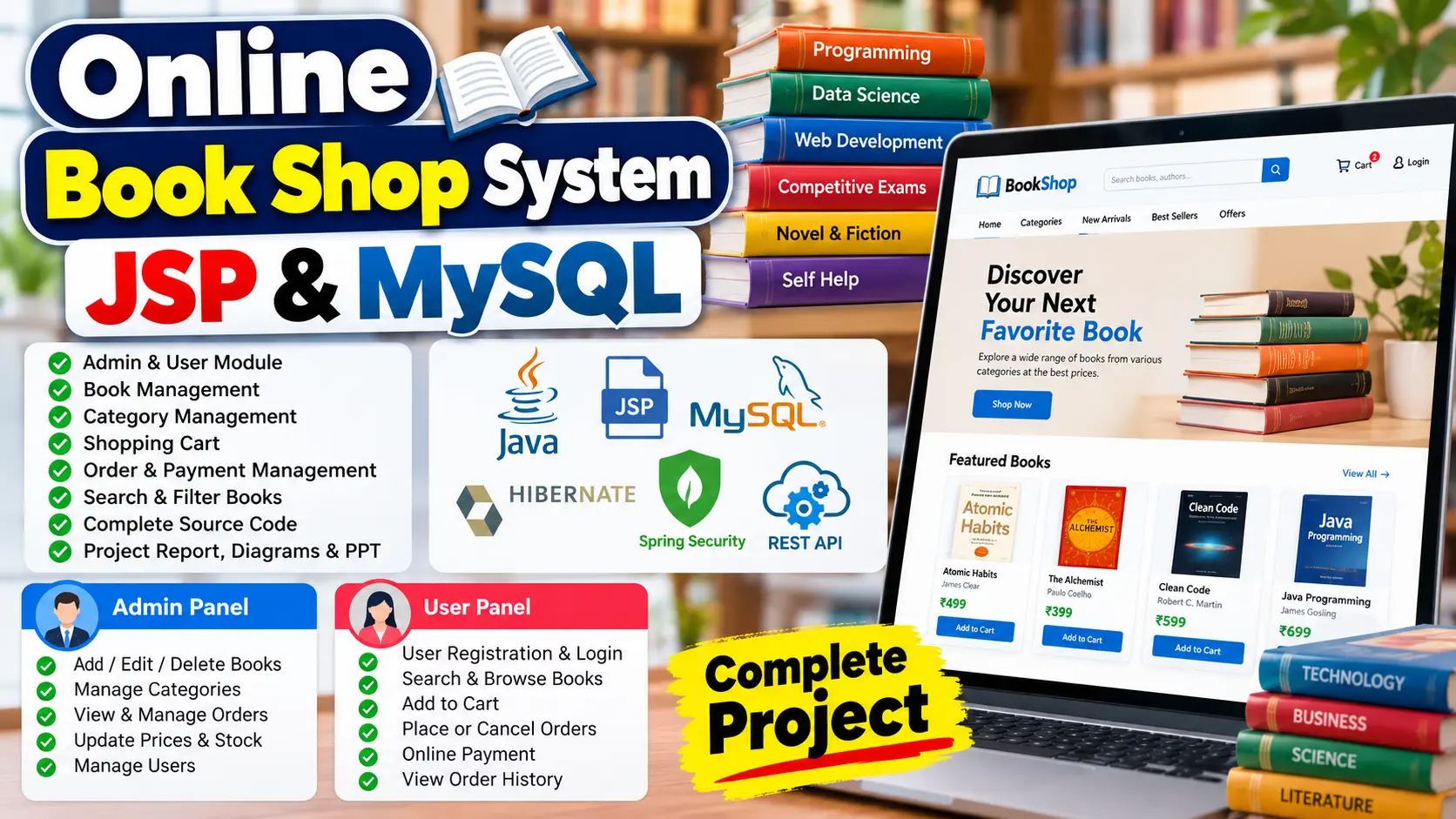
Online Book Shop System JSP and MYSQL is a Java-based e-commerce application that enables users to register, search for books, browse categories, add books to a cart, place or cancel orders, make online payments, and view order history. Administrators can manage books, categories, prices, orders, payments, inventory availability, and sales records. The project uses JSP, HTML, CSS, JavaScript, Hibernate, JPA Repository, MySQL, and Tomcat 8.5.
Read more- Built with
- JavaMySQLBootstrapHTML/CSSJavaScript
- You get
- Source codeDatabaseProject reportPPTSetup guide
- Delivery
- Instant download after payment
Project Overview
Online Book Shop System JSP and MYSQL is a web-based e-commerce application developed using Java web technologies. It provides an online platform for browsing books, searching by category, managing shopping carts, placing orders, and making online payments.
The application includes separate Admin and User modules. Administrators can manage books, categories, prices, orders, payments, stock availability, and sales records. Users can register, log in, manage their profiles, search for books, place or cancel orders, and view their order history.
Available Features
- Admin Authentication: Secure administrator login and logout.
- Book Management: Add, view, edit, and delete books.
- Category Management: Organize books into categories.
- Price Management: Update book prices.
- User Registration and Login: Allow users to create accounts and access the application.
- Book Search: Search for books and browse categories.
- Shopping Cart: Add books to the shopping cart.
- Order Management: Place, view, confirm, or cancel orders according to user permissions.
- Online Payments: Support online payments and payment tracking.
- Order History: Allow users to view previous orders.
- Inventory Availability: Monitor book stock availability.
- Sales Records: Maintain records of books sold.
- Profile Management: Manage user and administrator profiles.
- Password Management: Change account passwords.
- Security: Include Spring Security authentication.
- REST API Architecture: Use REST API-related functionality alongside the Java web application technologies.
Which Technologies Are Used in This Project?
- Programming Language: Java
- Frontend: HTML, CSS, JavaScript, JSP
- Backend Technologies: Hibernate, JPA Repository
- Framework and Security: Spring Boot, Spring Security
- API Technology: Spring REST
- Database: MySQL
- Application Server: Apache Tomcat 8.5
More Details and Full Documentation
Visit the official UPDATEGADH project page for the project overview, features, technology details, setup instructions, and documentation information.
More Details and Full Documentation
Watch Project Demo
- Admin Authentication
- User Registration and Login
- Book Management
- Book Category Management
- Book Search and Browsing
- Shopping Cart Management
- Order Placement and Cancellation
- Order Confirmation Management
- Online Payment Management
- Payment Tracking
- Book Price Management
- Inventory and Stock Availability
- Sales Record Management
- User Profile Management
- Administrator Profile Management
- Password Management
- Spring Security Authentication
- REST API Integration
Step 1: Install Java JDK, Eclipse or IntelliJ IDEA, MySQL, and the required Java web development tools.
Step 2: Download and extract the project ZIP file.
Step 3: Import the project into Eclipse or IntelliJ IDEA.
Step 4: Create or configure the MySQL database using the database information supplied with the project.
Step 5: Open application.properties and update the database connection settings.
Step 6: Configure the required application server. The article lists Apache Tomcat 8.5.
Step 7: Resolve project dependencies and build the application using its supplied project configuration.
Step 8: Run the application using the configured development environment.
Step 9: Open the application in your browser using the local server address and application context path.
Stuck while running it? Chat with us on WhatsApp for free installation help.
No reviews yet. Be the first to review this project.
Related projects
 28% OFF
 25% OFF