 28% OFF
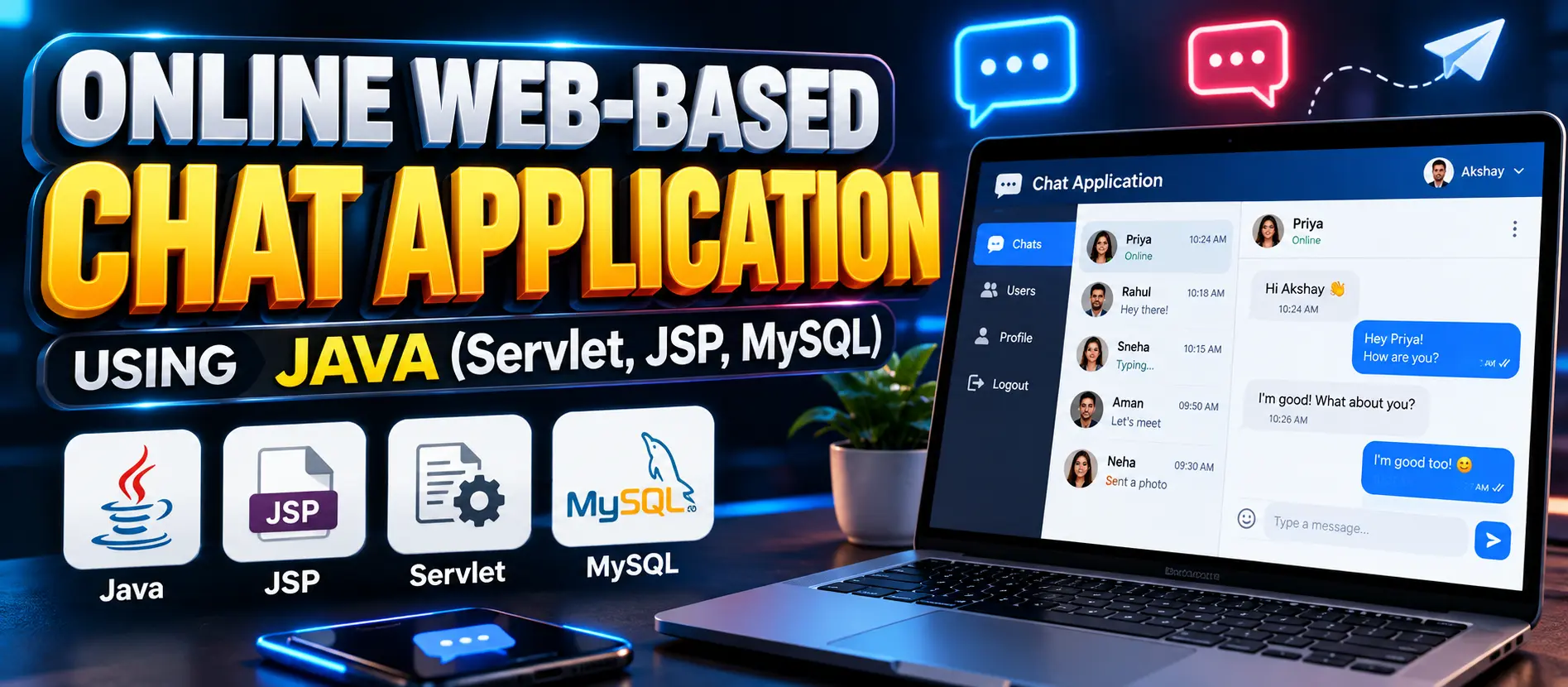
 Online Web-Based Chat Application Using Java (Servlet, JSP, MySQL)
The Online Web-Based Chat Application Using Java (Servlet, JSP, MySQL) is a web application that enables users to register, log in, exchange messages in real time, and access previous conversations. It uses Java Servlets, JSP, JDBC, MySQL, HTML, CSS, and JavaScript, with AJAX for message updates without refreshing the entire page.
Read more- Built with
- JavaMySQLBootstrapHTML/CSSJavaScript
- You get
- Source codeDatabaseProject reportPPTSetup guide
- Delivery
- Instant download after payment
Project Overview
The Online Web-Based Chat Application Using Java (Servlet, JSP, MySQL) is a web-based messaging application designed to demonstrate user authentication, session management, database connectivity, and real-time chat functionality. Users can register, log in, exchange messages, and access their previous conversations.
The application uses Java Servlets for server-side processing, JSP for dynamic page rendering, JDBC for database connectivity, and AJAX for sending and receiving messages without refreshing the entire page. MySQL stores user information and chat messages, while Apache Tomcat 10 provides the application server.
Available Features
- User Registration: Allow users to create accounts using a username and password.
- User Login: Authenticate users against stored database credentials.
- Real-Time Messaging: Send and receive messages between users.
- Chat History: Store conversations in MySQL and retrieve previous messages.
- Session Management: Maintain user sessions during chat interactions.
- Dynamic Interface: Display messages using JSP, HTML, CSS, and JavaScript.
- AJAX Messaging: Send and retrieve messages without reloading the complete page.
- Database Connectivity: Use JDBC to perform CRUD operations on user and message records.
- Authentication Security: Support password protection and restrict chat access to authenticated users.
Which Technologies Are Used in This Project?
- Programming Language: Java
- Server-Side Technologies: Java Servlets and JSP
- Database: MySQL
- Database Connectivity: JDBC
- Frontend: HTML, CSS, JavaScript
- Asynchronous Communication: AJAX
- Application Server: Apache Tomcat 10
- Development IDE: Eclipse Enterprise Edition
More Details and Full Documentation
Visit the official UPDATEGADH project page for the project overview, feature details, database structure, and source code information.
- User Registration
- User Login and Authentication
- User Session Management
- Real-Time Messaging
- Sender and Recipient Management
- Chat Message Storage
- Chat History Retrieval
- JDBC Database Connectivity
- AJAX-Based Message Updates
- Dynamic Chat Interface
Step 1: Install Java JDK, Eclipse Enterprise Edition, Apache Tomcat 10, and MySQL.
Step 2: Open Eclipse Enterprise Edition.
Step 3: Import the Java web application project into Eclipse.
Step 4: Configure the MySQL database connection using the database details supplied with the project.
Step 5: Configure JDBC connectivity and ensure the required MySQL JDBC driver is available to the application.
Step 6: Configure Apache Tomcat 10 as the project's server in Eclipse.
Step 7: Deploy the project to the configured Tomcat server.
Step 8: Start the server and open the application using the local URL and context path assigned by Eclipse.
Step 9: Register a user account and log in to begin chatting.
Stuck while running it? Chat with us on WhatsApp for free installation help.
No reviews yet. Be the first to review this project.
Related projects


 25% OFF