 17% OFF
 Inventory Management System using Spring Boot
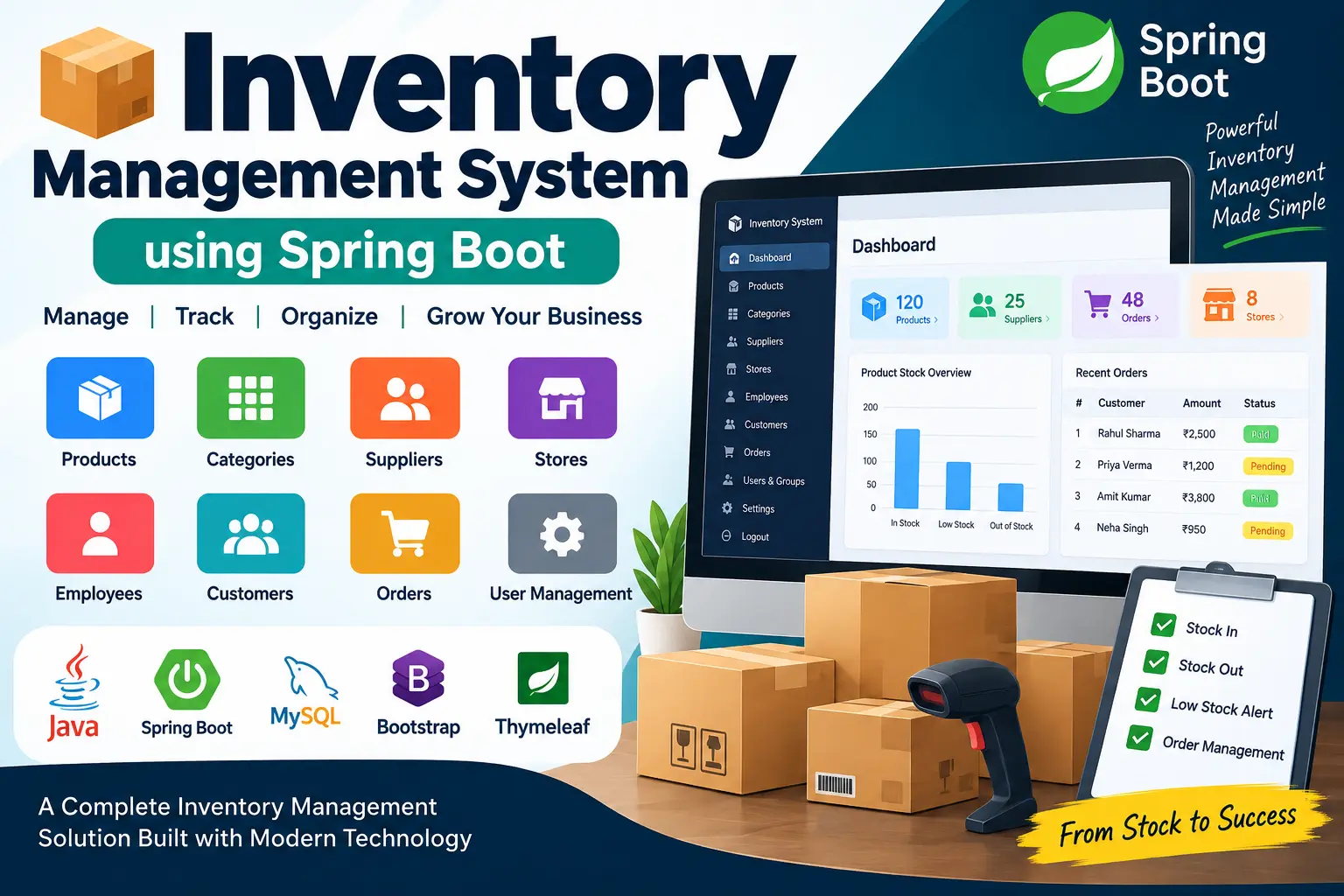
Inventory Management System using Spring Boot is a web-based business management application built with Java, Spring Boot, Spring MVC, Spring Data JPA, Hibernate, Spring Security, Thymeleaf, and MySQL. It provides centralized management of products, inventory, suppliers, stores, employees, customers, orders, users, groups, permissions, and company settings.
Read more- Built with
- JavaMySQLBootstrapHTML/CSSJavaScript
- You get
- Source codeDatabaseProject reportPPTSetup guide
- Delivery
- Instant download after payment
Inventory Management System using Spring Boot
The Inventory Management System using Spring Boot is a web-based business management application designed to help organizations manage products, inventory, suppliers, stores, employees, customers, orders, categories, and user access from a centralized platform.
The project is developed using Java, Spring Boot, Spring MVC, Spring Data JPA, Hibernate, Spring Security, Thymeleaf, MySQL, HTML, CSS, JavaScript, Bootstrap, and Font Awesome. It follows a layered application structure with controllers, services, repositories, entities, DTOs, validation, and database relationships.
This project is suitable for students and developers who want to learn how to build a complete Spring Boot management application with database integration, authentication, role-based permissions, CRUD operations, order processing, and REST APIs.
Project Overview
The Inventory Management System provides a dashboard-based interface where authorized users can manage different areas of a business. The application contains modules for products, categories, suppliers, stores, employees, customers, orders, groups, permissions, login accounts, locations, and company settings.
Products are connected with categories, suppliers, and stores, while employees can be associated with stores and locations. Orders contain customer information, product quantities, pricing information, discounts, VAT calculations, payment status, and order dates.
Key Features
- Dashboard-based management interface
- Secure form login
- BCrypt password encryption
- Product management
- Inventory quantity management
- Product category management
- Supplier management
- Store management
- Employee management
- Customer and order management
- Order product quantity handling
- VAT and discount calculation
- Payment status management
- User group management
- Permission management
- Company settings management
- MySQL database integration
- REST API endpoints for products and orders
- Form validation and error handling
Software and Tools Required
- Java Development Kit (JDK) 8 or compatible Java environment
- Apache Maven or Maven Wrapper
- MySQL Server
- Eclipse, IntelliJ IDEA, Spring Tool Suite, or another Java IDE
- Web browser
- Git for source code version control
Watch Project Demo
Watch the project demonstration to understand the application's interface, workflow, inventory management features, and overall functionality.
More Details & Full Documentation
For complete project information, source code, documentation, screenshots, and additional resources, visit the original project page.
- Dashboard Module
- Product Management Module
- Category Management Module
- Supplier Management Module
- Store Management Module
- Employee Management Module
- Order Management Module
- Customer Management Module
- User Login and Authentication
- Groups and Permissions
- Company Settings Module
- Location Management
- Inventory Quantity Management
- REST Product API
- REST Order API
- Database Management
- Form Validation
- Error Handling
- Install Java Development Kit (JDK) 8 or a compatible Java environment.
- Install MySQL Server.
- Install Apache Maven, or use the Maven Wrapper included with the project.
- Install Eclipse, IntelliJ IDEA, Spring Tool Suite, or another compatible Java IDE.
- Extract the downloaded Inventory Management System project ZIP file.
- Create a MySQL database named:
sabredb
- You can create the database using:
CREATE DATABASE sabredb;
- Import the supplied database file:
DB/sabredb.sql
- Open the project's application.properties file.
- Configure the MySQL database connection according to your local MySQL installation:
spring.datasource.driver-class-name=com.mysql.cj.jdbc.Driver
spring.datasource.url=jdbc:mysql://localhost:3306/sabredb?useSSL=false&serverTimezone=UTC
spring.datasource.username=root
spring.datasource.password=
- Import the project into Eclipse, IntelliJ IDEA, Spring Tool Suite, or another compatible Java IDE.
- Allow Maven to download all required project dependencies.
- Build the project using:
mvn clean install
- You can also use the Maven Wrapper included with the project.
- Run the Spring Boot application from:
com.eurekadevops.sabre.Application
- After the application starts successfully, open the application in your web browser using the configured local server address.
- Spring Security is configured for authentication, and passwords use BCrypt encoding.
- Verify the product, category, supplier, store, employee, customer, order, authentication, and REST API functionality.
Stuck while running it? Chat with us on WhatsApp for free installation help.
No reviews yet. Be the first to review this project.