 33% OFF
 E-commerce Web Application
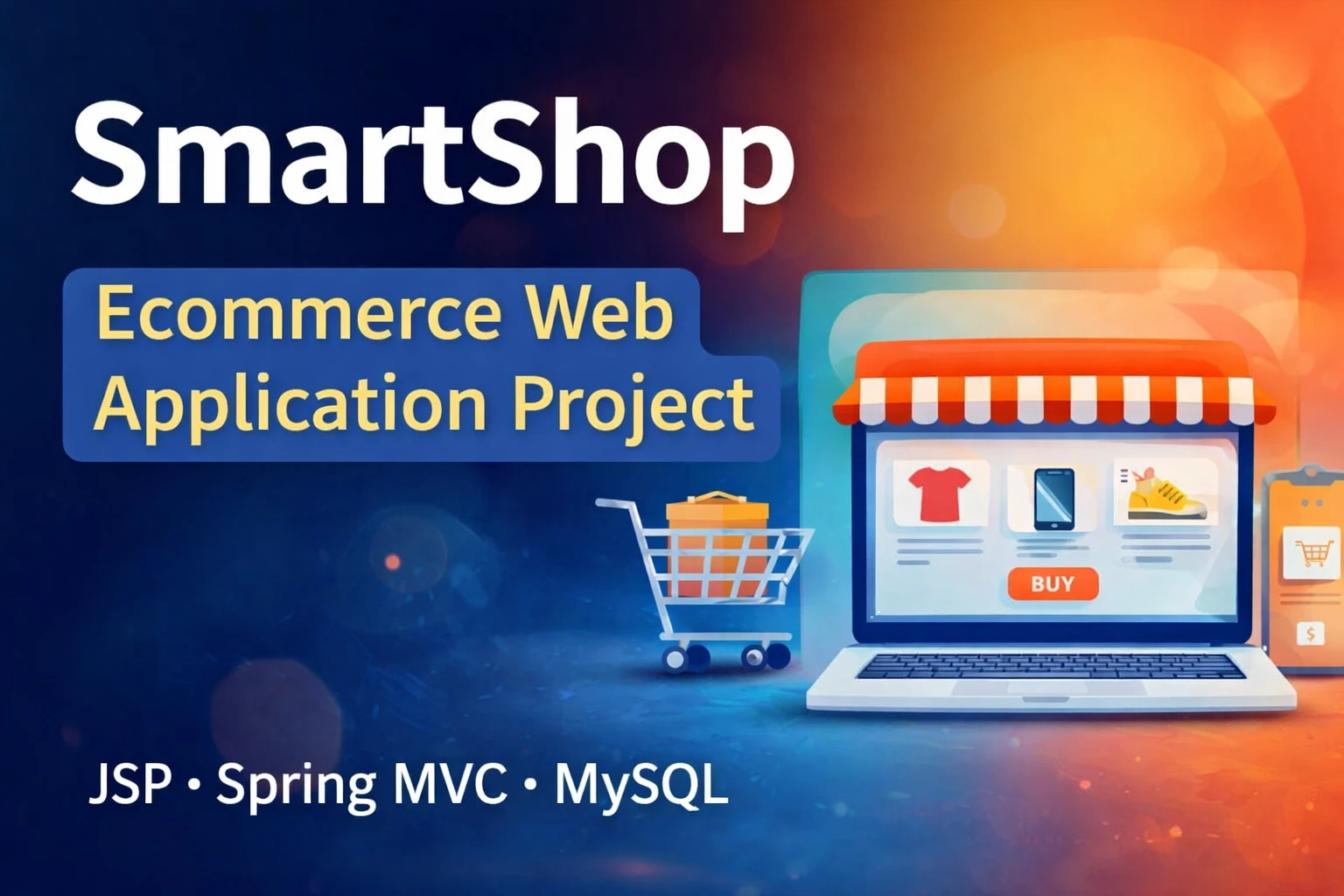
SmartShop is an advanced Java E-commerce Web Application built with JSP, Servlets, Spring MVC, Spring AOP, JDBC, MySQL, Maven, and Apache Tomcat. It includes customer shopping, product browsing, search, cart, checkout, order management, and a role-based admin panel.
Read more- Built with
- JavaMySQLBootstrapHTML/CSSJavaScript
- You get
- Source codeDatabaseProject reportPPTSetup guide
- Delivery
- Instant download after payment
E-commerce Web Application – Java Project
The E-commerce Web Application, also known as SmartShop, is a complete full-stack Java web application developed for online shopping. The project is built using JSP, Servlets, Spring MVC, Spring AOP, JDBC, MySQL, Maven, and Apache Tomcat.
The application follows a clean MVC architecture and a three-tier design consisting of presentation, business, and data access layers. It provides a complete customer shopping workflow along with a powerful administrator panel for managing products, categories, stock, pricing, and customer orders.
Project Overview
SmartShop demonstrates the practical implementation of a real-world e-commerce workflow using Java web technologies. Customers can register and log in, browse products by category, search for products, add products to the shopping cart, update cart quantities, place orders, and view their order history.
The administrator panel provides role-based access for managing product categories, products, product images, stock, pricing, and customer orders. Administrators can also update order statuses such as Placed, Shipped, and Delivered.
Customer Module
- Secure customer registration and login
- Hashed user passwords
- Browse products by category
- Search products by name or keyword
- Add products to shopping cart
- Update cart quantities
- Remove products from cart
- Place orders with shipping details
- View complete order history
Admin Module
- Secure administrator login
- Role-based access control
- Add, update, and delete product categories
- Add, update, and delete products
- Upload product images
- Manage product stock
- Manage product pricing
- View customer orders
- Update order status
Shopping Cart
The shopping cart allows customers to add products before placing an order. Customers can update the quantity of cart items or remove products from the cart before proceeding with checkout.
Order Management
The order management functionality allows customers to place orders with shipping details and view their complete order history. Administrators can view customer orders and update their status between Placed, Shipped, and Delivered.
Product Management
Administrators can manage the product catalog by creating, updating, and deleting product categories and products. Product information includes pricing, stock, and image paths.
Search and Category Browsing
Customers can browse products according to categories and search for products using their name or keyword. This provides a convenient way to find products within the online store.
Technology Stack
- Programming Language: Java
- Frontend: JSP, HTML5, CSS3, Bootstrap
- Backend: Java, Servlets, Spring MVC
- AOP: Spring AOP for logging and performance monitoring
- Database: MySQL
- Database Access: JDBC
- Build Tool: Maven
- Server: Apache Tomcat
- IDE: Eclipse / IntelliJ IDEA
Architecture
The application follows an MVC and three-tier architecture. JSP handles the presentation layer, while Servlets and Spring MVC controllers handle HTTP requests. The application separates presentation, business logic, and data access to provide a clean and organized project structure.
Database Design
The project uses a normalized MySQL database with relationships defined using primary and foreign keys. The main database tables include:
- users: Customer and administrator account details
- categories: Product category information
- products: Product details, price, stock, and image path
- cart: Shopping cart items associated with users
- orders: Order information, status, and totals
- order_items: Individual products included in orders
Spring AOP
Spring AOP is used in the project for cross-cutting concerns such as logging and performance monitoring. This demonstrates the use of aspect-oriented programming within a Java Spring MVC application.
Project Benefits
- Real-world e-commerce workflow
- Clean MVC architecture
- Three-tier application design
- Spring MVC and Spring AOP implementation
- Database-driven application using MySQL
- Role-based administrator access
- Complete shopping cart workflow
- Customer order management
- Suitable for BCA, MCA, and B.Tech CS/IT final-year projects
- Useful for Java developer portfolio and interview preparation
Future Enhancements
- Integration of payment gateways such as UPI, Razorpay, or Paytm
- Product reviews and ratings system
- Admin sales analytics dashboard with charts
- Mobile application integration using REST APIs
- AI-based product recommendation engine
- Wishlist and coupon code functionality
- Order invoice generation in PDF
Watch Project Demo
More Details & Full Documentation
- Customer Registration
- Customer Login
- Customer Authentication
- Product Category Browsing
- Product Search
- Product Management
- Product Image Upload
- Product Stock Management
- Product Pricing Management
- Shopping Cart
- Cart Quantity Management
- Remove Cart Items
- Checkout
- Shipping Details
- Order Placement
- Order History
- Admin Login
- Role-Based Access Control
- Customer Order Management
- Order Status Management
- MySQL Database Management
- Spring MVC
- Spring AOP Logging
- Performance Monitoring
- Install JDK 8 or higher.
- Install MySQL Server.
- Install Apache Tomcat 9 or higher.
- Install Eclipse IDE for Enterprise Java Developers or IntelliJ IDEA.
- Import the SmartShop project into your IDE as a Maven project.
- Create the SmartShop database in MySQL.
- Import the included smartshop.sql database file.
- Open:src/main/resources/database.properties
- Configure your MySQL database credentials:
db.url=jdbc:mysql://localhost:3306/smartshop
db.username=root
db.password=your-password
- Build the project using Maven:
mvn clean install
- After a successful build, locate the generated WAR file inside the target/ folder.
- Deploy the generated WAR file to the Apache Tomcat webapps/ directory, or deploy it directly from your IDE
- Start Apache Tomcat.
- Open the application in your web browser using the configured Tomcat application URL.
- Test customer registration, login, product browsing, search, shopping cart, checkout, order history, and administrator functionality.
Stuck while running it? Chat with us on WhatsApp for free installation help.
No reviews yet. Be the first to review this project.